
- Home
- Artificial Grass
- Applications
Artificial Turf Applications
How artificial turf systems are used across environments
Artificial turf is used in a wide range of applications, from lawns and pet areas to putting greens and pool surrounds. Each application uses the same underlying turf system, but is configured differently based on system needs.
DEFINITION
Artificial Turf Applications
Artificial turf applications are defined by how the turf system is configured for specific use cases. While all artificial grass systems share the same core components, different applications require specific combinations of drainage, durability, surface texture, and maintenance characteristics.
Each application represents a different configuration of the same underlying system, optimized for how the space will be used.
Common variations include:
- Drainage design (standard vs high-flow systems)
- Surface durability and fiber density
- Infill type and odor control capabilities
- Cushioning and safety layers (for play areas)
This is what determines how artificial turf performs in real-world environments.
View in: Artificial Turf Glossary →
System
How Artificial Turf Applications Relate to the Turf System
All turf applications are built on the same underlying system structure.
- Turf fibers define surface appearance and performance
- Infill material supports the fibers and influence behavior
- Turf backing systems control how water moves through the turf
- Sub-base layers provide structure, drainage, and stability
What changes between applications is how these components are configured.
- Pet areas prioritize drainage and hygiene
- Putting greens prioritize surface consistency and ball roll
- Playgrounds prioritize safety and impact absorption
- Pool surrounds prioritize water management and stability
- Rooftop systems adapt to structural surfaces and drainage layers
Understanding these relationships helps explain how artificial turf performs in different environments.
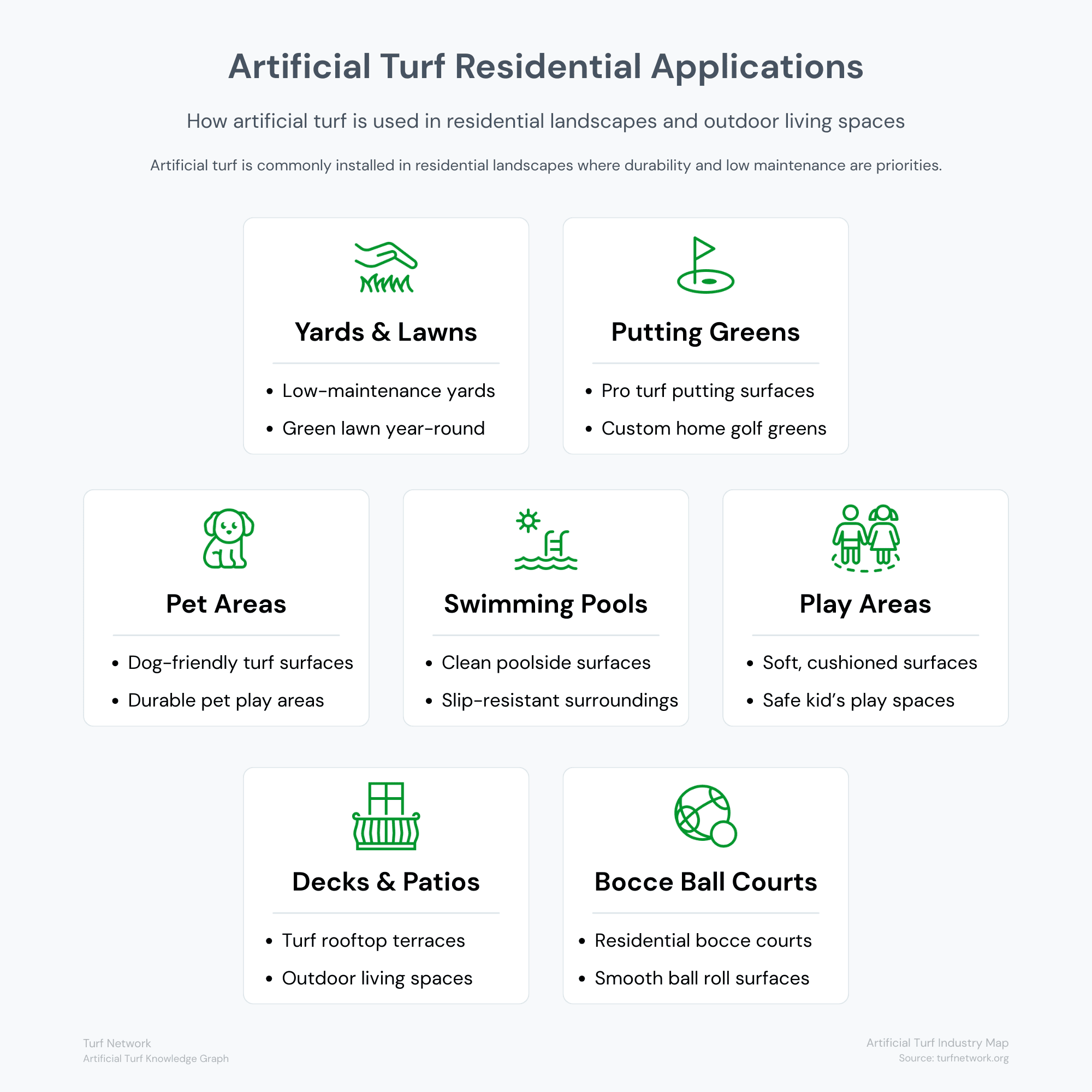
Artificial turf is commonly installed in residential landscapes for lawns, pet areas, putting greens, pool surroundings, patios, and recreational spaces.
Turf Network — Artificial Turf Industry Map
Source: Turf Network – turfnetwork.org/artificial-turf-industry-map/
Configuration
How Applications Are Defined by System Configuration
Artificial turf applications are not separate products — they are variations of the same system, built differently based on performance requirements.
Each application is defined by:
- Components used (fibers, backing, infill, sub-base)
- Performance features prioritized (drainage, durability, safety)
- Environmental conditions (sun exposure, moisture, traffic levels)
For example:
- Pet turf systems prioritize rapid drainage and odor control
- Lawn systems prioritize appearance and balanced performance
- Play areas prioritize safety and impact absorption
Understanding applications this way makes it easier to compare options and choose the right system for your needs.


APPLICATION CONTEXT
Artificial Turf Applications
Artificial turf is used across multiple applications, each designed for specific environments, performance requirements, and system configurations.
Understanding how each application differs helps ensure the right system is selected for long-term performance.
Pet Turf (Dogs & Pets)
Specialized turf systems engineered for drainage, odor control, and durability under active pet use.
Best for: dog runs, backyards, kennels, pet relief areas
Lawns & Landscapes
General-purpose turf designed for landscaping, balancing appearance, durability, and everyday usability.
Best for: front yards, backyards, general landscaping, everyday use
Playgrounds & Play Areas
Safety-focused turf systems with shock-absorbing layers designed to reduce impact from falls.
Best for: schools, parks, daycare centers, and backyard play zones
Putting Greens
Short-pile, high-density turf engineered for ball roll, speed control, and consistent putting performance
Best for: backyard golf, training, recreational putting
Rooftops, Decks & Patios
Lightweight turf systems designed for hard surfaces, prioritizing drainage, stability, and low-profile installation.
Best for: balconies, rooftops, patios, and hardscape living spaces
Swimming Pool Surrounds
Fast-draining, slip-resistant turf systems built to perform in wet environments with exposure to water and chemicals
Best for: pool decks, splash zones, water features, and wet areas
Features
How to Choose the Right Turf Application
Choosing the right artificial turf application depends on how the system needs to perform in your specific environment. Because each application is a variation of the same system, the decision comes down to which features matter most.
- Drainage requirements (standard vs high-flow systems)
- Surface durability and expected traffic levels
- Comfort and safety needs (for pets or play)
- Heat exposure and climate conditions
- Maintenance expectations over time
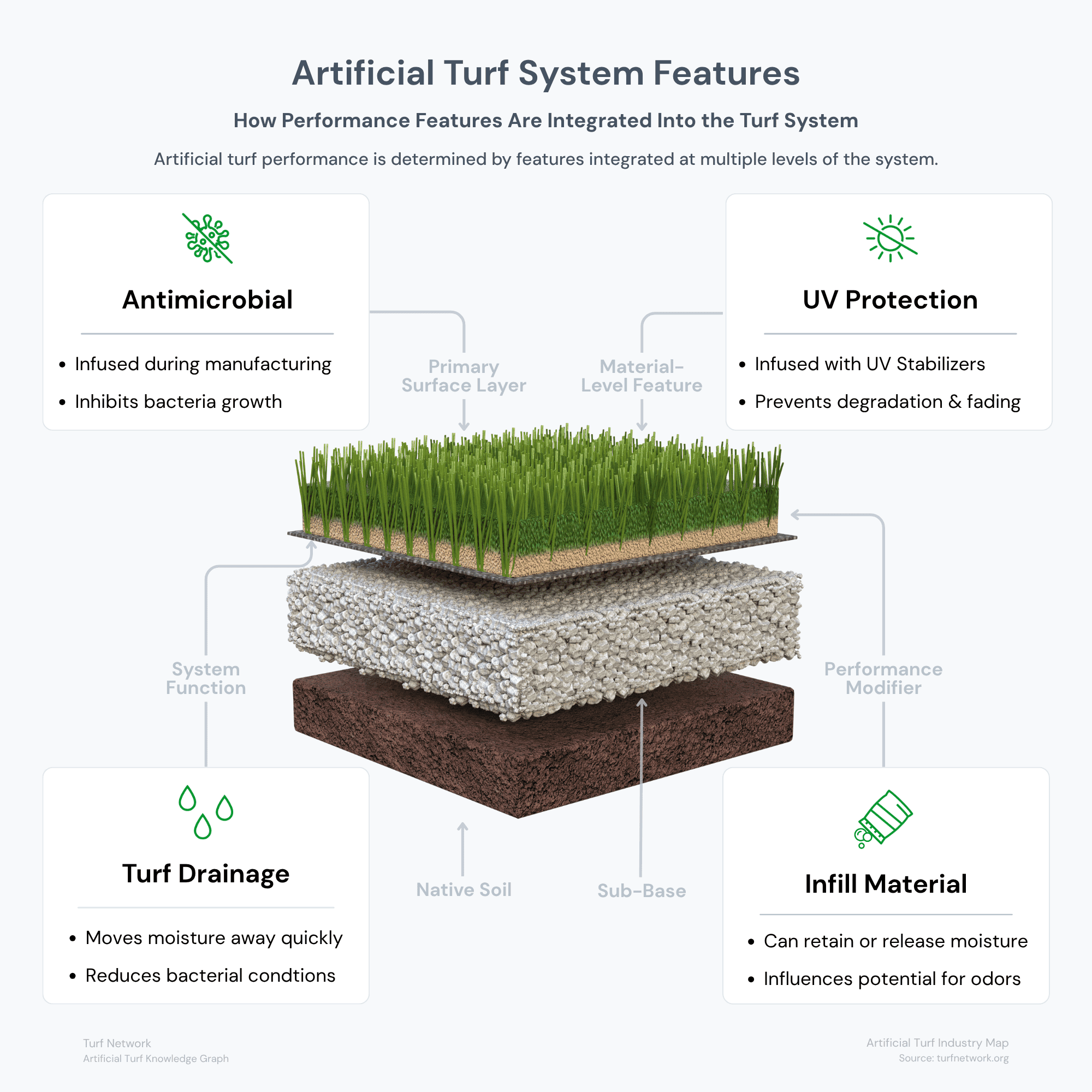
Artificial turf system features work together across multiple layers of the installation, with UV protection and antimicrobial additives built into materials while drainage and infill conditions influence long-term surface performance.
Artificial Turf System — Features Diagram
Source: Turf Network – turfnetwork.org/artificial-grass/features/
Relationships
How Applications Connect to the Turf System
All artificial turf applications are built using the same core system. What changes is how the components and features are combined to meet different performance requirements.
- Drainage systems determine how quickly water and waste move through the surface
- Fiber structure affects durability, appearance, and comfort
- Infill materials influence stability, odor control, and heat retention
- Sub-base preparation impacts drainage and long-term performance
Each application is simply a different configuration of these elements.
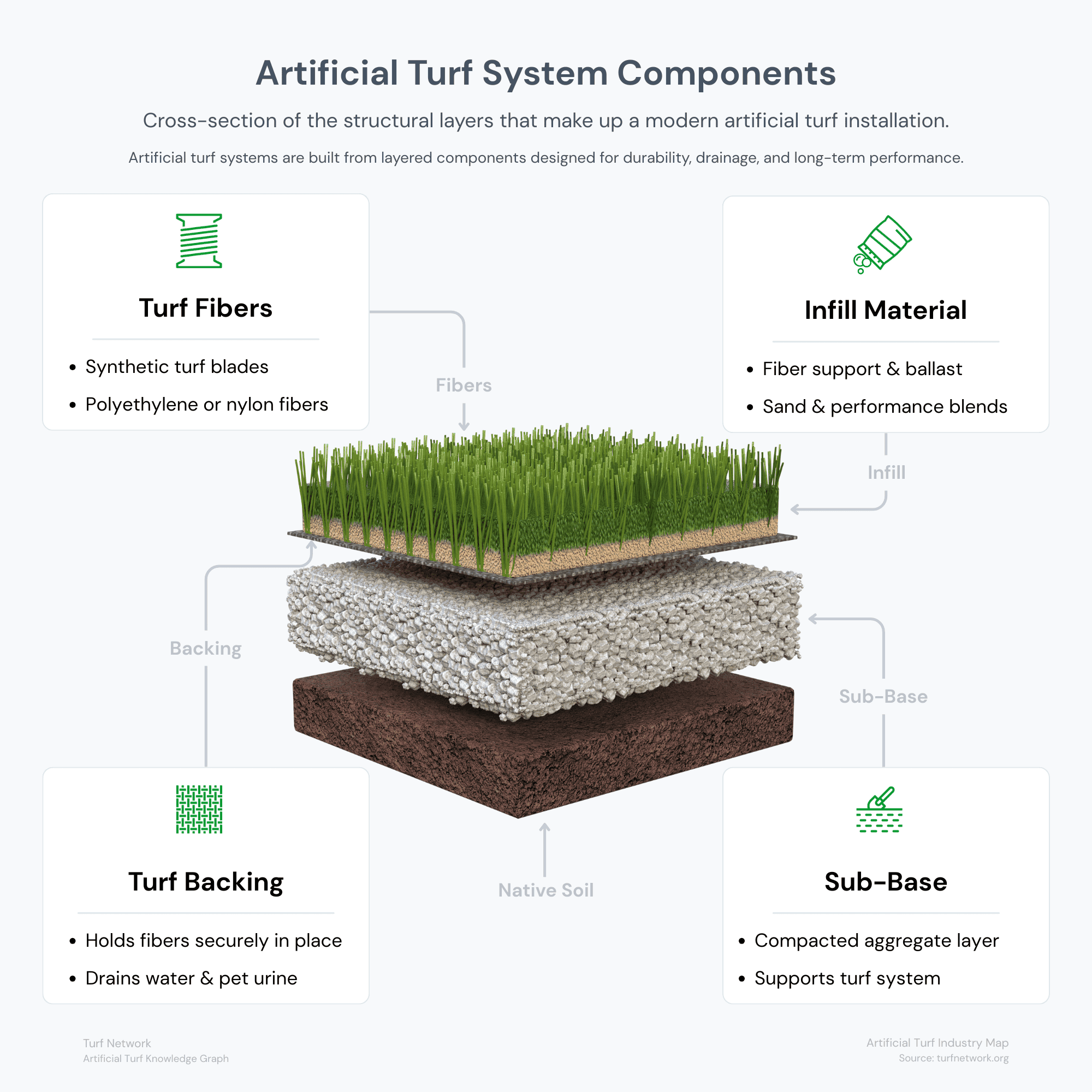
The diagram illustrates the primary components of an artificial turf system and how each layer contributes to overall performance.
Artificial Turf System — Components Diagram
Source: Turf Network – turfnetwork.org/artificial-grass/components/