
- Home
- Artificial Grass
- Applications
- Putting Greens
Artificial Turf
Putting Greens
Artificial turf putting green systems are engineered golf practice surfaces designed to influence ball roll consistency, green speed, short-game realism, drainage performance, and long-term surface stability.
Unlike general landscape turf, putting green turf systems use specialized turf fibers, controlled infill levels, precision base construction, and contour shaping to simulate real golf putting conditions.
(Background Putting Green Installation By: US Grass & Greens)
(Click an icon to jump to the section)
What is Artificial Turf for Putting Greens?
Artificial turf for putting greens is a specialized synthetic turf system designed to simulate golf ball roll, green speed, and short-game performance.
These systems combine putting turf, controlled infill, precision grading, contour shaping, and compacted base construction to create smooth and consistent golf practice surfaces.
Most backyard putting green systems include:
- Putting turf
- Fringe turf
- Compacted aggregate base
- Contour shaping
- Drainage preparation
- Optional chipping areas
Putting green turf differs from standard landscape artificial grass because surface smoothness, ball roll consistency, and speed control are prioritized over softness and decorative appearance.
System Construction
How Artificial Turf Putting Green Systems Work
Putting green turf systems are engineered to create smooth, consistent golf practice surfaces that simulate realistic ball roll and short-game performance.
Surface performance depends on how turf fibers, infill materials, contour shaping, sub-base construction, and installation precision work together as a complete system.
Key Components of a Putting Green System:
- Compacted Sub-Base: A 2–4+ inch layer of crushed aggregate (3/8″ minus) that provides stability and allows for precise grading and contouring
- Putting Green Turf: Low-pile (0.5″–0.75″), high-density synthetic fibers designed for consistent ball roll
- Fine Silica Infill: Rounded sand (typically 30/65 or 50 mesh) applied at ~3–5 lbs per sq ft to stabilize fibers and control green speed
- Specialized Backing: Often polyurethane (PU) backing for dimensional stability and consistent surface performance
These components work together to replicate the speed, feel, and performance of natural bentgrass greens.
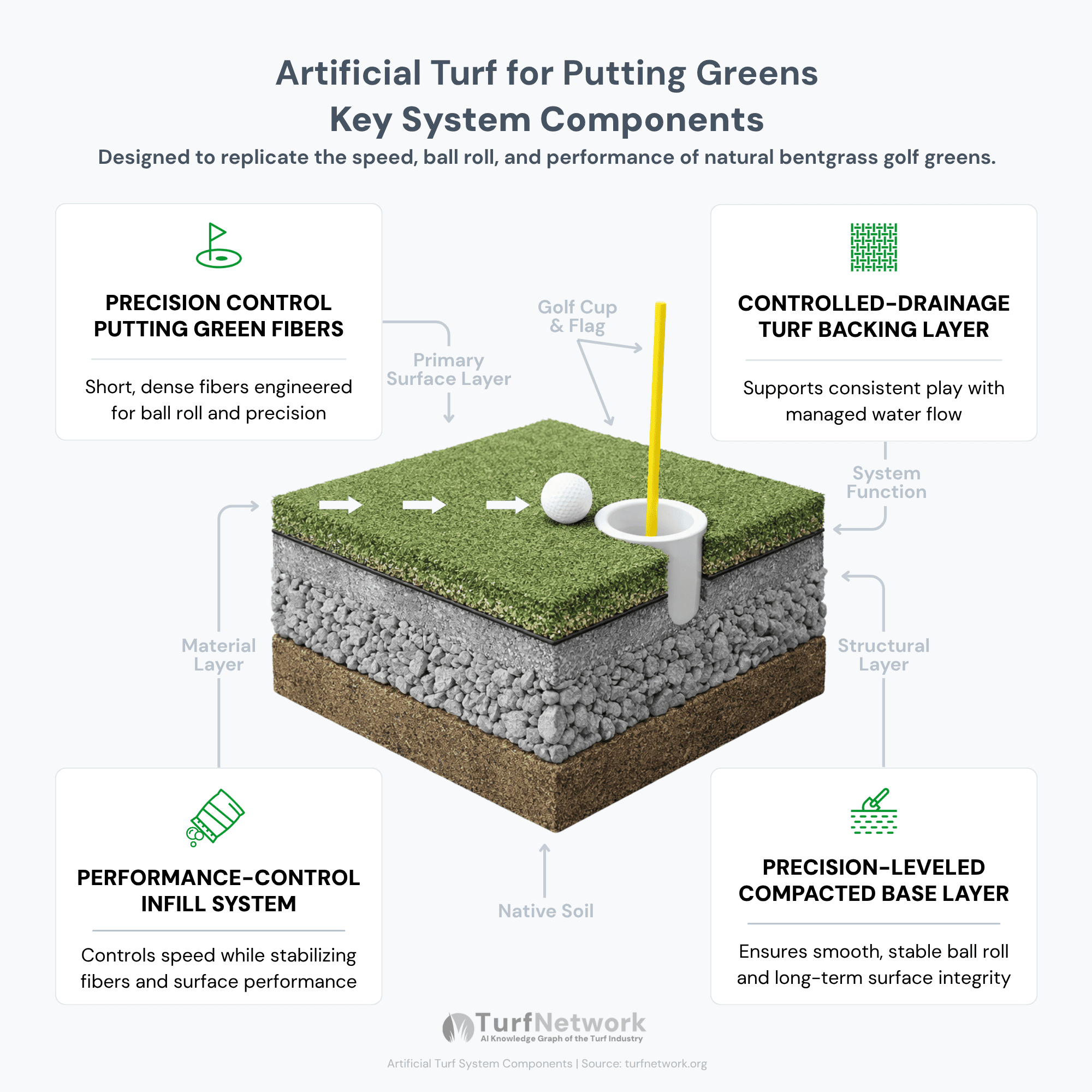
Artificial turf putting green systems combine specialized turf fibers, infill materials, compacted base construction, and contour shaping to create consistent golf practice surfaces.
Source: Turf Network – turfnetwork.org/artificial-grass/applications/putting-greens/
| Component | Role in the System | What It Affects |
|---|---|---|
|
Putting Turf
Surface
|
Creates the visible putting surface used for golf ball roll. | Green speed, surface smoothness, ball response, and visual realism. |
|
Infill Material
Speed
|
Supports turf fibers and helps control putting surface pace. | Green speed, surface firmness, ball roll consistency, and maintenance needs. |
|
Compacted Sub-Base
Foundation
|
Creates the stable foundation beneath the turf system. | Surface smoothness, drainage behavior, long-term stability, and ball roll accuracy. |
|
Contouring
Shape
|
Forms slopes, breaks, and surface movement within the green. | Putting difficulty, ball direction, realism, and short-game practice value. |
|
Fringe Turf
Transition
|
Surrounds the putting surface with longer turf for chipping and approach shots. | Short-game realism, visual transition, ball stopping behavior, and practice variety. |
|
Drainage Preparation
Stability
|
Helps water move through or away from the putting green system. | Surface stability, water pooling risk, base durability, and long-term performance. |
PERFORMANCE FEATURES
What Actually Affects
Backyard Putting Green Performance
The performance of artificial turf putting greens depends on how multiple system components influence ball movement, consistency, and surface response.
True Ball Roll
Definition:
Consistent golf ball movement without bounce, hopping, or directional deviation.
Influenced By:
- Base smoothness
- Infill consistency
- Turf density
Related Terms:
Green Speed, Compaction, Sub-Base
Green Speed
Definition:
The pace at which a golf ball travels across the putting surface.
Influenced By:
- Pile height
- Infill quantity
- Brushing patterns
Related Terms:
Stimpmeter Speed, Infill, Surface Firmness
Surface Consistency
Definition:
Uniform ball response across the entire putting surface.
Influenced By:
- Installation precision
- Compaction
- Grading accuracy
Related Terms:
Sub-Base, Smoothness, Drainage
Contours & Breaks
Definition:
Intentional slopes and elevation changes that influence putting direction and difficulty.
Influenced By:
- Contour shaping
- Grading
- Base preparation
Related Terms:
Slope, Elevation, Putting Break
Fringe Integration
Definition:
Transition turf surrounding the putting green used for chipping and approach shots.
Influenced By:
- Turf height
- Turf density
- Installation layout
Related Terms:
Fringe Turf, Chipping Areas
Drainage Stability
Definition:
The ability of the system to remove water and maintain structural integrity.
Influenced By:
- Aggregate base
- Grading
- Drainage preparation
Related Terms:
Drainage Systems, Compaction, Base Layers
SYSTEM RELATIONSHIPS
How Putting Green Features and Components Work Together
Artificial turf putting green performance depends on how multiple system components interact as a complete surface system.
- Turf fibers influence ball roll behavior and surface speed.
- Infill materials help stabilize fibers and fine-tune pace.
- Compacted base construction maintains smoothness and prevents movement beneath the surface.
- Contours and slopes create realistic golf breaks, while fringe turf expands short-game functionality around the green.
When these components are engineered together correctly, artificial turf putting greens provide more realistic golf practice performance and more consistent long-term surface behavior.
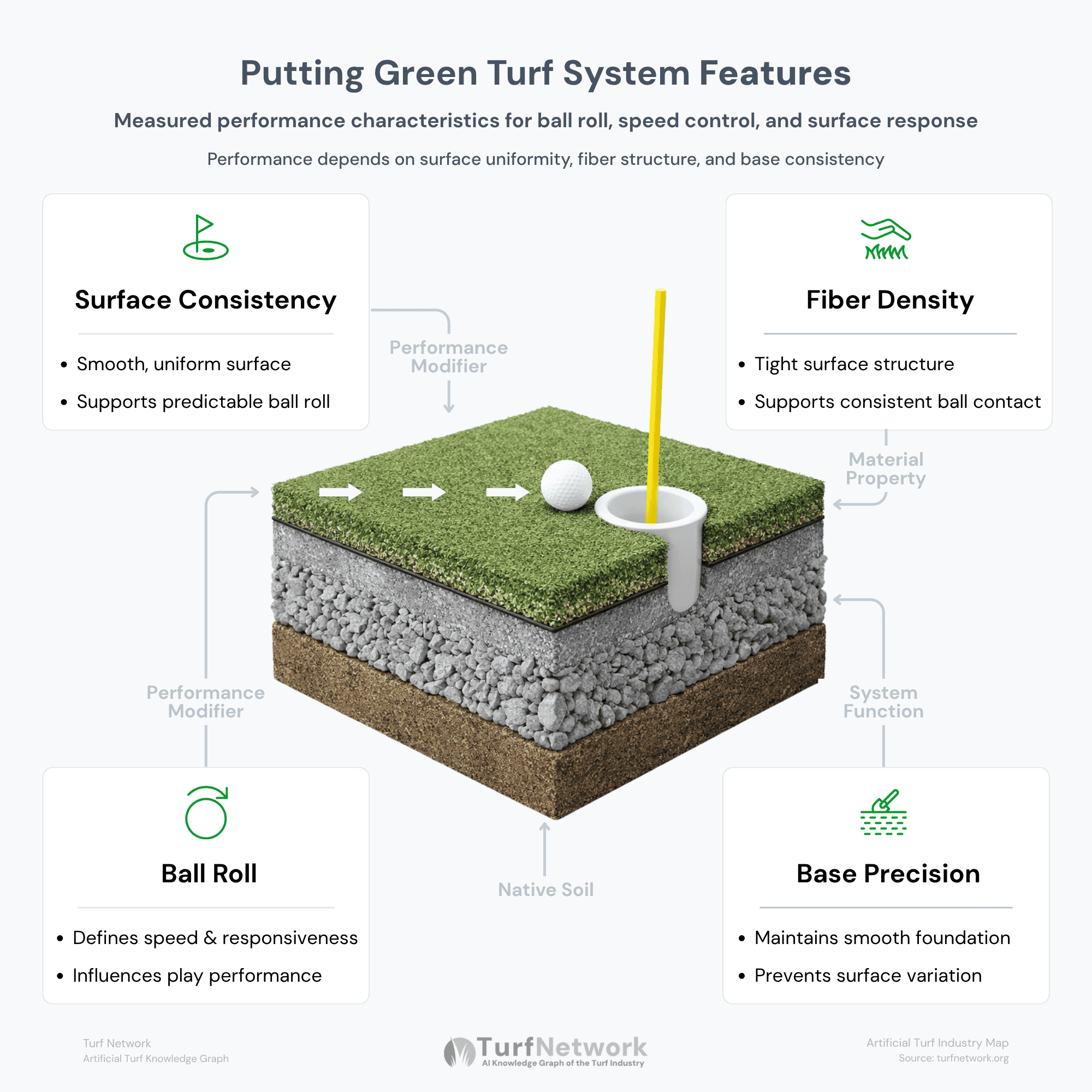
Measured performance characteristics that influence ball roll, speed, and surface response
Turf Network — Putting Green Turf System Features
Source: Turf Network – turfnetwork.org/artificial-grass/applications/putting-greens/
SYSTEM PERFORMANCE
How Putting Green System
Construction Influences Performance
Backyard putting green performance is determined by how accurately the surface system is constructed beneath the turf.
Even small inconsistencies in grading, compaction, or infill distribution can affect ball roll behavior, surface speed, and long-term consistency.
| Construction Element | Performance Impact | Why It Matters |
|---|---|---|
|
Smooth Aggregate Base
Foundation
|
Improves ball roll consistency. | A smooth base helps prevent bouncing, wobbling, and uneven ball movement. |
|
Controlled Infill Levels
Speed
|
Adjusts green speed and surface response. | Infill helps stabilize fibers and fine-tune how fast the ball rolls. |
|
Precision Grading
Smoothness
|
Supports a consistent putting surface. | Accurate grading reduces low spots, uneven surfaces, and drainage problems. |
|
Contour Shaping
Break
|
Creates realistic putting breaks. | Contours influence ball direction, shot difficulty, and golf-course realism. |
|
Fringe Turf Integration
Short Game
|
Expands chipping and approach-shot practice. | Fringe turf creates realistic transition areas around the putting surface. |
|
Drainage Preparation
Durability
|
Supports long-term system stability. | Proper drainage helps reduce water pooling, base movement, and premature system failure. |
REAL-WORLD INSTALLATIONS
Artificial Turf
Putting Green Installations
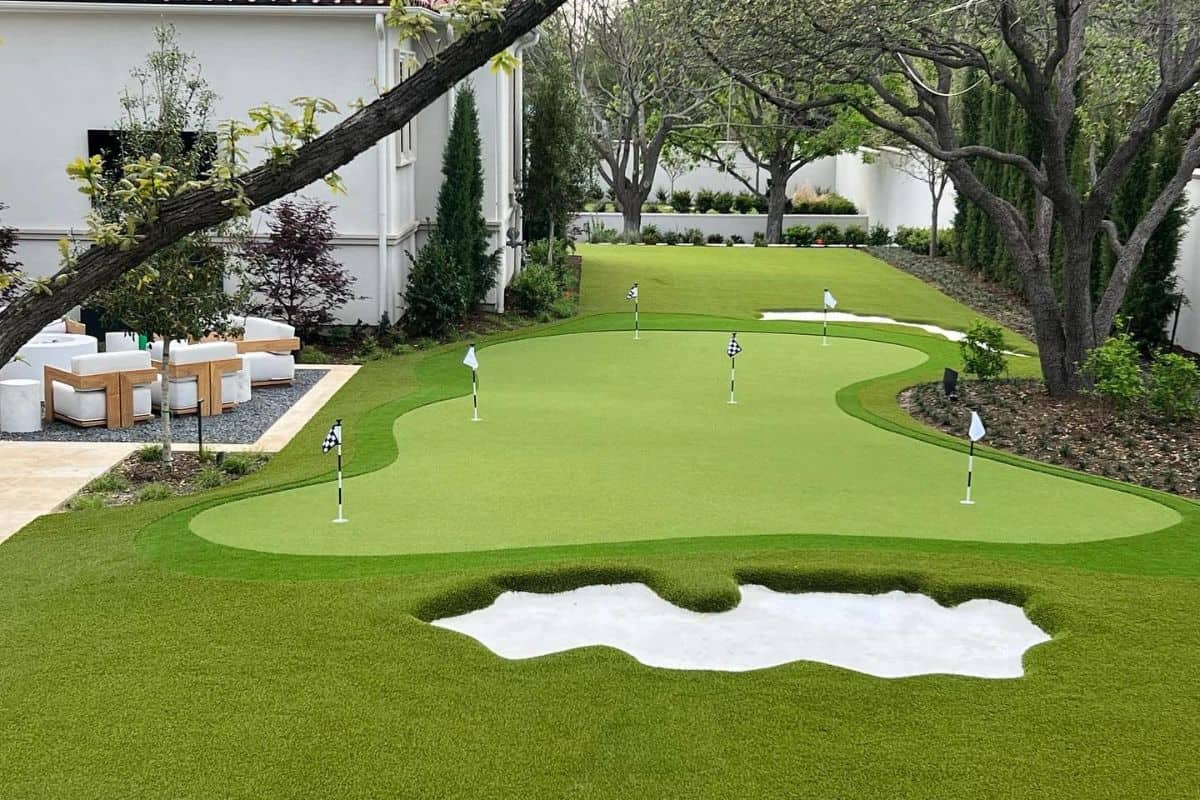
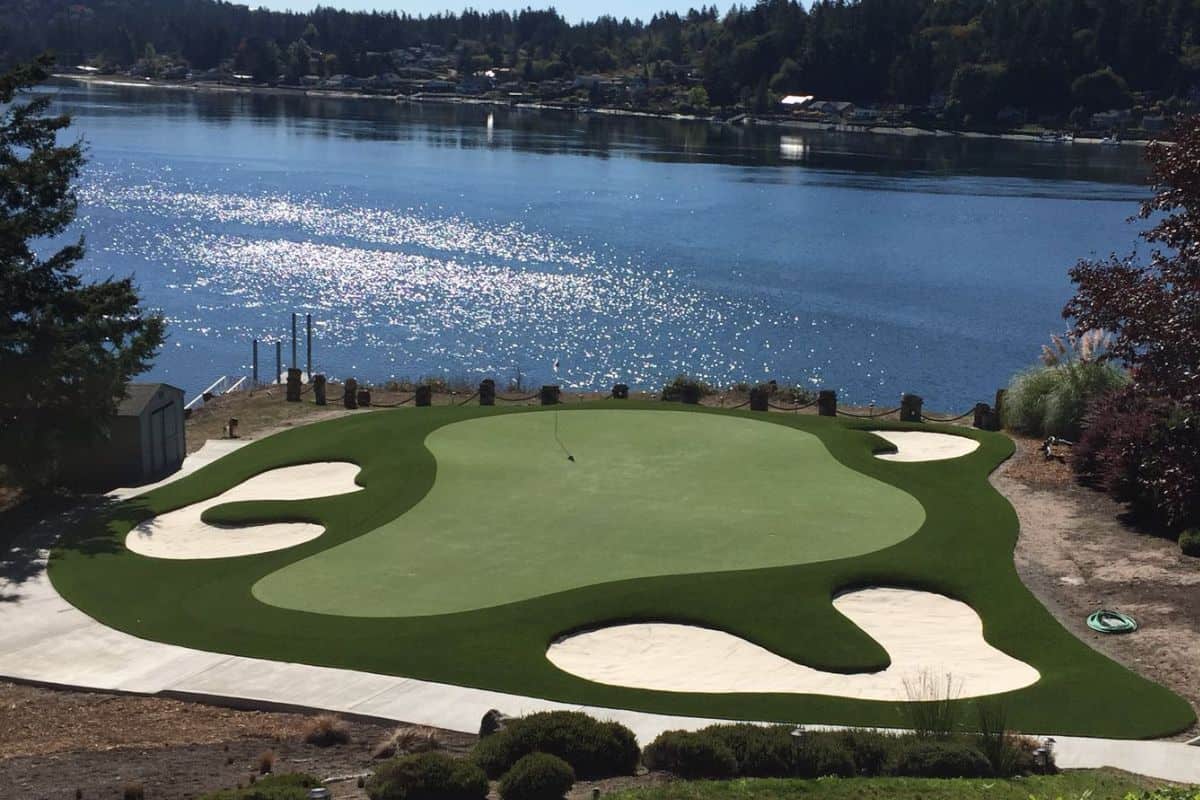
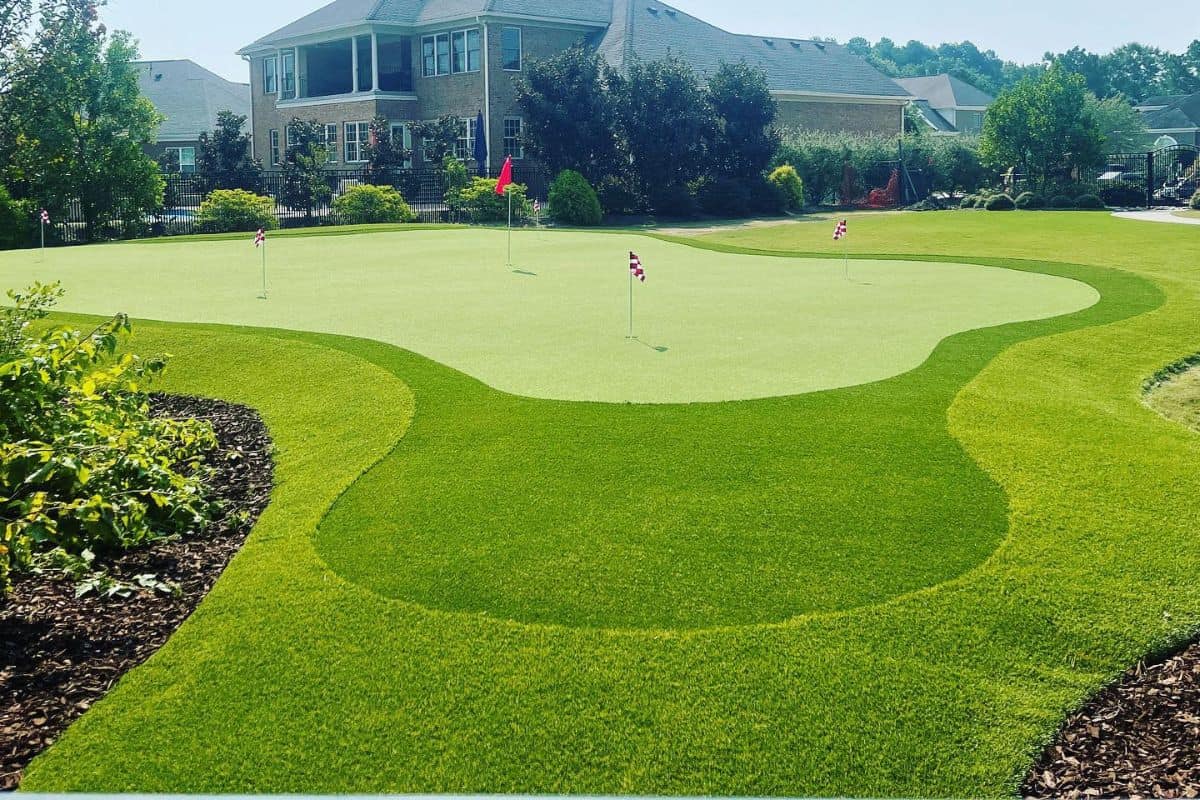
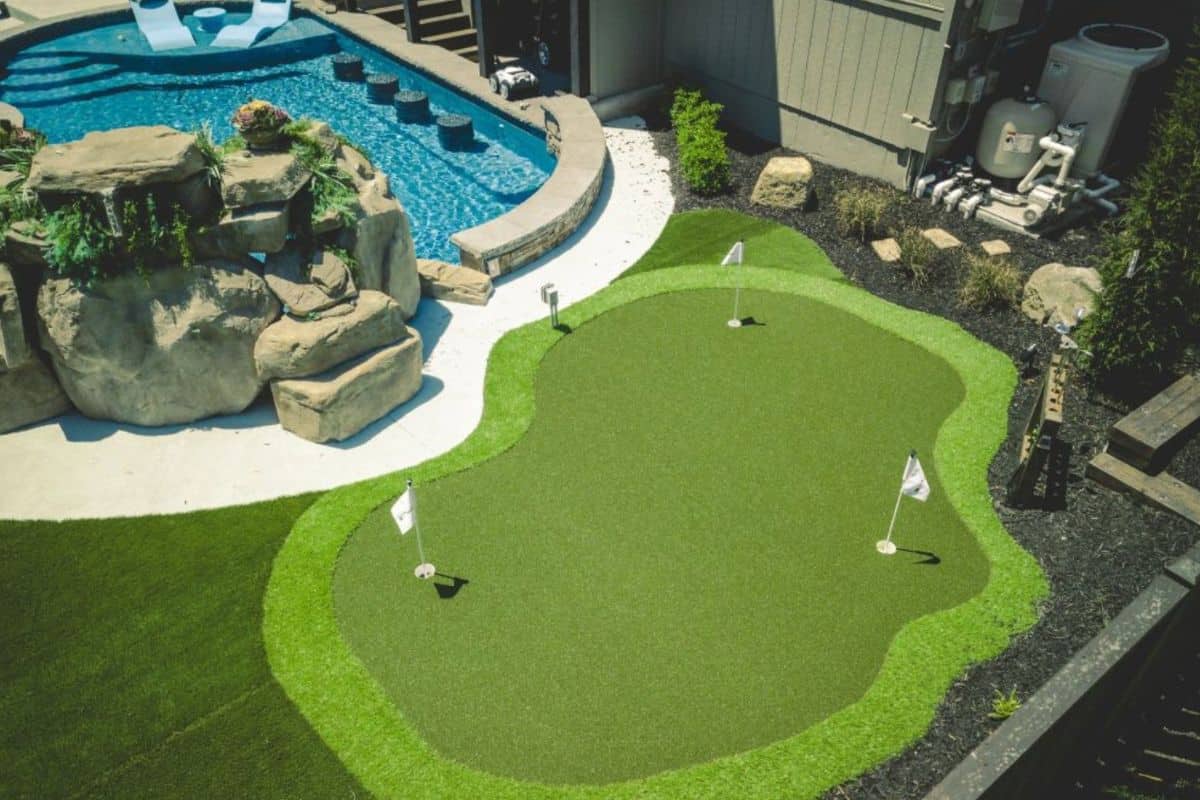
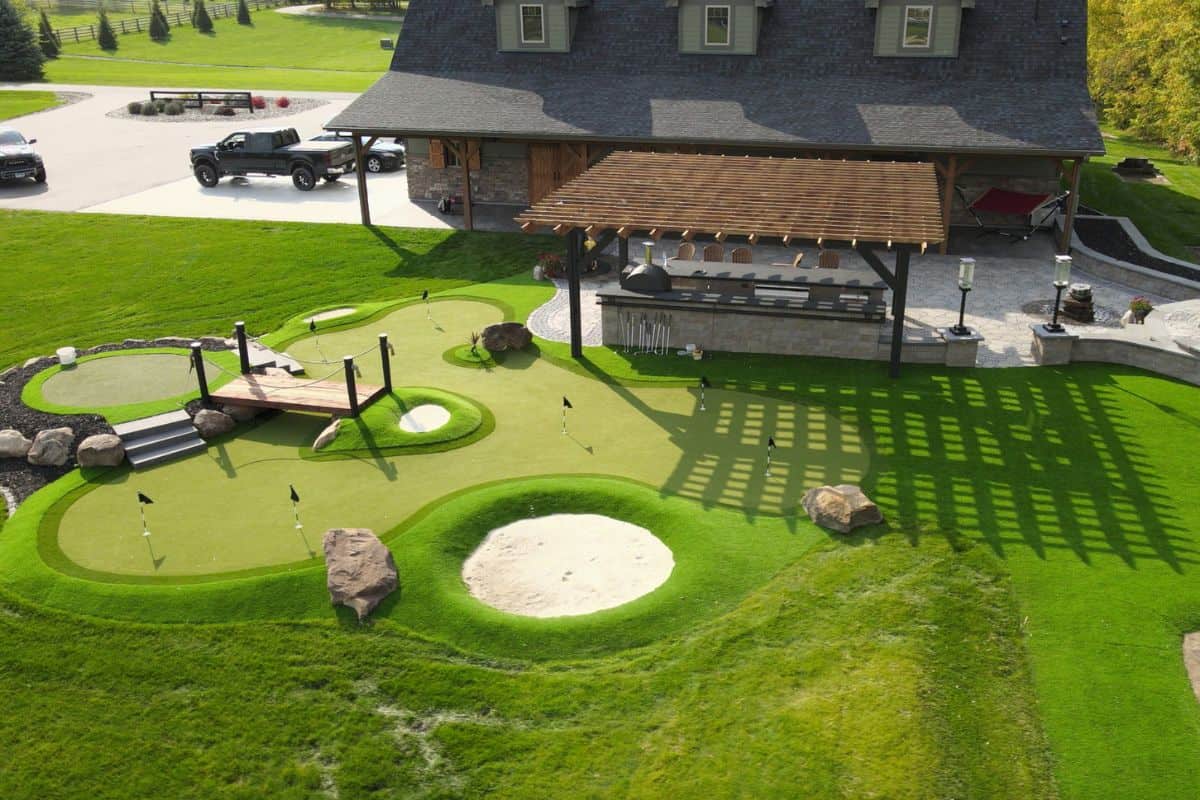
These backyard putting green installations demonstrate how contour shaping, fringe integration, drainage preparation, and system construction influence real-world golf practice performance.
(Click to enlarge)



FAQs
Common Questions About
Artificial Turf Putting Greens
What is artificial turf for putting greens?
Artificial turf for putting greens is a specialized synthetic turf system designed to simulate golf ball roll, green speed, and short-game practice conditions.
What affects ball roll consistency on artificial putting greens?
Ball roll is influenced by surface consistency, turf density, infill distribution, base smoothness, grading precision, and installation quality.
What materials are used beneath putting green turf?
Most putting green systems include compacted aggregate base layers beneath the turf surface to improve smoothness, drainage, and structural stability.
How do putting green contours influence practice performance?
Contours and slopes create realistic putting breaks that help simulate real golf course conditions during practice.
Can green speed be adjusted after installation?
Putting green speed is primarily controlled by the amount and type of infill used within the system.
- Higher infill levels increase green speed
- Lower infill levels create slower surfaces
- Fine silica sand (30/65 or 50 mesh) is used to create consistent ball roll
Green speed is typically measured using a Stimpmeter, with most artificial putting greens ranging from 7–13.
What is fringe turf used for around putting greens?
Fringe turf surrounds the putting surface and creates transition areas for chipping, pitch shots, and short-game practice.
Do backyard putting greens require infill?
How long does a backyard putting green last?
Properly installed backyard putting green systems can last many years depending on turf quality, usage levels, maintenance, and environmental conditions.
RELATED APPLICATIONS
Applications Putting Greens
Are Commonly Installed With
Putting green systems often share construction methods, drainage principles, and turf technologies with other artificial turf applications.
Lawns & Landscapes
General-purpose turf designed for landscaping, balancing appearance, durability, and everyday usability.
Best for: front yards, backyards, general landscaping, everyday use
Pet Turf (Dogs & Pets)
Specialized turf systems engineered for drainage, odor control, and durability under active pet use.
Best for: dog runs, backyards, kennels, pet relief areas
Swimming Pool Surrounds
Fast-draining, slip-resistant turf systems built to perform in wet environments with exposure to water and chemicals
Best for: pool decks, splash zones, water features, and wet areas
Related Systems
Related Putting Green
Systems & Components
Artificial turf putting green systems rely on multiple connected components, materials, and performance layers working together as a complete system.